Choosing the best 3-Channel Dashcam in 2026 means looking beyond a sharp front-facing image. A three-camera setup can record the road ahead, the cabin, and the view behind, giving drivers a broader picture of a journey. The details matter: Can the rear camera capture a clear image at dusk? Does the cabin view remain useful when passengers sit in the back? Are the controls easy to reach without distracting the driver? Small practical questions often reveal more than a crowded feature list.
There is no single model that suits every vehicle or driver. Installation space, cable routing, storage needs, night clarity, and app reliability can all change the experience. A bright screen in a showroom is not the same as readable footage on a rainy evening. Nor does a long list of specifications guarantee dependable performance. Check sample footage, confirm what comes in the box, and review how the camera handles heat and low light. Some trade-offs are easy to miss until the first drive. That part deserves more attention. This guide compares the features that matter most and explains what to look for before buying, so you can choose with clearer expectations—not just the most impressive headline.
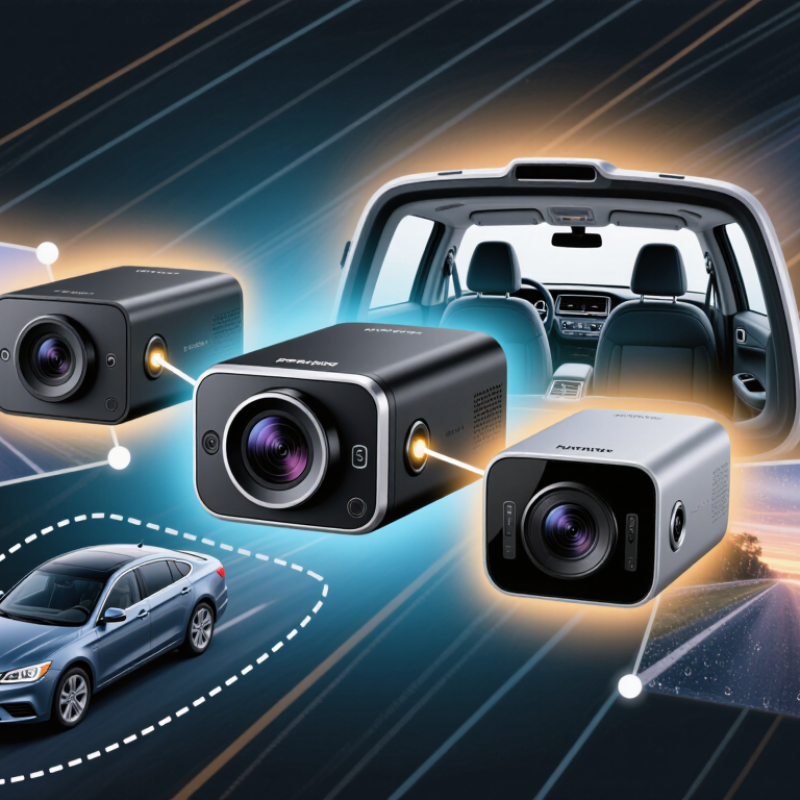
A three-channel dashcam records the road ahead, the cabin, and the view behind the vehicle. That wider coverage can help clarify what happened when an incident is not visible from the front camera alone. The front lens may capture traffic lights and lane changes. The cabin lens can show activity inside the vehicle, while the rear lens records following cars and events near the back window. Each view has limits, though.
Placement affects what the cameras can see. A front lens needs a clear windshield view, and a rear lens should not be blocked by cargo or heavy tint. Cabin footage can be harder to read at night, especially with reflections or dim lighting. Check sample recordings in daylight and after dark. Also confirm that all three views save properly and that the storage capacity suits your usual drive length. Small detail. It matters. Even a well-placed camera may miss events outside its field of view.
Tips: Aim the rear lens through a clean window, and keep the cabin lens clear of mirrors or hanging items. Review a short test clip after installation. If faces or distant number plates look unclear, adjust the angle or exposure settings. Don’t assume the setup is perfect; lighting and vehicle layout can change what gets recorded.
For a three-channel dashcam, 4K UHD means 3,840 × 2,160 pixels, while Full HD means 1,920 × 1,080. A 4K image contains four times as many pixels as a Full HD image. That can preserve more detail in a bright daytime scene, such as lane markings or lettering on a nearby sign. But pixel count alone does not guarantee readable footage.
Check which camera gets each resolution. Some systems record the road-facing view in 4K and the cabin and rear views in Full HD. Others may lower resolution across all three channels when recording together. This matters: a clear front image cannot compensate for a soft rear view when reviewing a minor parking scrape. Test all three feeds at once, not just the headline sample. A label isn't proof.
For a fair benchmark, compare footage from the same route, lighting, and playback screen. Look at moving details, distant plates, and shadows near the rear window. Compression, lens focus, and sensor quality can erase fine detail, especially at night. Keep the original files; messaging apps may shrink them. I would treat 4K as a useful advantage, not a verdict. Even a sharp frame can miss context when a vehicle moves quickly, and Full HD may look quite adequate on a small display. The honest question is whether each channel captures usable evidence in the conditions you actually drive.
For a three-channel dashcam, 30 fps is a useful baseline, not a guarantee of clear evidence. Each frame arrives about 33 milliseconds apart. At 50 km/h, a car travels roughly 46 centimeters between frames; at 60 fps, that gap falls to about 23 centimeters. The extra frames can help capture a quick lane change or a passing vehicle, but they cannot fix poor focus or slow exposure. NHTSA’s 2022 Traffic Safety Facts report states that 49% of traffic fatalities occurred at night. That makes usable night footage essential, not merely a bonus. Still, a bright preview can hide smeared number plates and noisy shadows.
Low-light performance depends on more than frame rate. Sensor size, lens aperture, exposure, and image processing all affect what the camera records. Longer exposure can brighten a dim cabin, yet blur a moving face or roadside detail. AAA Foundation for Traffic Safety’s 2017 nighttime headlamp study measured pedestrian detection distances under controlled conditions and found results varied with beam setting and test conditions. Dashcams face different conditions, but the lesson carries over: illumination changes what a camera can distinguish. Compare sample clips from all three channels on the same dark road, especially near streetlights and oncoming headlights. Look for readable detail, not just brightness. One limitation remains: a single clip may flatter a camera. I would not treat 30 fps as a low-light rating.
A three-channel dashcam records the road, cabin, and rear view, so storage fills faster than with a front-only camera. A high-resolution front feed and two additional streams can use several gigabytes per hour, depending on bitrate and compression. Higher bitrate can preserve small details, such as a plate in a dim garage, but it cannot guarantee readable footage. Check the camera’s estimated recording time with your chosen card. It matters.
Loop recording overwrites the oldest unlocked clips when the card is full. That keeps recording, but protected event files may quietly occupy much of the card. Review lock settings and clear needed clips regularly. Format the card in the camera when its manual recommends it. One easy mistake is assuming “loop” means every file will be replaced.
Parking mode changes the power calculation. Motion-triggered recording may conserve energy, while continuous recording captures more context and draws power for longer. A hardwire kit with a voltage cutoff can help limit battery drain, though settings and vehicle conditions vary. Test the setup overnight, then check both the saved footage and the vehicle’s starting behavior. Cold weather or an aging battery may shorten operation. Set realistic expectations.
| What Is the Best 3 Channel Dashcam in 2026? — Storage and Power: How Bitrate, Loop Recording, and Parking Mode Affect Use | |||
|---|---|---|---|
| Storage or Power Factor | Typical Range or Behavior | Effect on Everyday Use | Practical Guidance |
| Total recording bitrate | About 20–30 Mbps is a useful planning range for three-channel recording; actual rates vary with resolution, frame rate, codec, and scene complexity. | Higher bitrates can preserve more detail, especially in fast motion or low light, but use more storage. | Compare recording quality and total bitrate together. Check whether the stated bitrate covers all three cameras, not just the front camera. |
| Estimated continuous recording time | Approximate hours on a card, assuming 20–30 Mbps total bitrate and 90% of the card capacity available for video: 128 GB: 8.5–12.8 hours 256 GB: 17.1–25.6 hours 512 GB: 34.1–51.2 hours |
Actual retention can be shorter because of audio, file-system overhead, variable bitrates, and locked event clips. | Treat these figures as estimates, not guarantees. Confirm the camera’s supported card capacity and format the card in the device as instructed. |
| Loop recording | Records video in short files and, when storage is full, normally replaces the oldest unlocked files. | Allows continuous recording without manually clearing the card. Protected clips may not be overwritten automatically. | Review and back up important incident clips promptly. Check the card periodically so protected files do not consume most of its capacity. |
| Event and emergency-file protection | Impact detection or a manual control may mark a clip as protected; behavior depends on the device and settings. | Protected clips can reduce the space available for loop recording and may eventually prevent new footage from being saved. | Choose an appropriate impact-sensitivity setting and periodically remove clips you no longer need. |
| Parking-mode recording | Common approaches include motion or impact-triggered recording, time-lapse recording, and low-bitrate continuous recording. Availability varies by model. | Longer coverage can mean greater power use or reduced image detail. Some modes require a hardwire kit or a separate battery. | Check which cameras remain active in parking mode, how recording is triggered, and whether the mode has a configurable time limit. |
| Vehicle-battery protection | A hardwire kit may stop recording at a selected low-voltage threshold or after a set time. Threshold options and behavior are device-specific. | Parking recording draws power while the vehicle is off; a cutoff can reduce the risk of draining the starter battery, but does not guarantee a start in every condition. | Use a compatible hardwire kit, select a conservative cutoff, and follow the vehicle and kit instructions. Consider a dedicated dashcam battery for extended parking coverage. |
| Memory-card suitability | Three-channel recording writes data continuously, so card endurance and sustained write capability matter as well as capacity. | A card not suited to repeated recording may wear out or produce recording errors over time. | Use a high-endurance card that meets the camera’s stated requirements, and replace it if the device reports errors or footage is missing. |
| How to compare systems | Storage estimates are based on decimal card capacity, 90% usable space, and a constant combined bitrate of 20–30 Mbps. | Real recording time and parking runtime vary with settings, temperature, card condition, vehicle battery state, and the specific power system. | For a balanced setup, prioritize clear footage from all three views, adequate card capacity, reliable loop recording, and a parking-power plan suited to how long the vehicle is left unattended. |
What Is the Best 3 Channel Dashcam in 2026?
A useful comparison starts with the footage each camera actually captures: the road ahead, the cabin, and the rear window. Check sample clips at night, when glare, reflections, and dim interiors can hide faces or license plates. More channels do not guarantee clearer evidence. NHTSA’s 2023 Fatality Analysis Reporting System recorded 40,901 U.S. traffic deaths, underscoring why dependable recording matters. Still, a camera cannot prevent every collision. Coverage is only useful when the footage is readable.
Reliability depends on more than advertised resolution. The SD Association’s Video Speed Class standard sets V30 cards at a minimum sustained write speed of 30 MB/s; check that a chosen card meets the camera’s requirements. Also compare heat tolerance, loop recording, warranty terms, and whether parking mode needs a separate power kit. Small details add up. For total cost, include the camera, compatible high-endurance storage, installation, and likely card replacements—not just the checkout price. I would test clips in my own car before trusting a specification sheet; glass tint and dashboard reflections can change results. And sometimes, the “best” image is still imperfect.
4K UHD is 3,840 × 2,160 pixels. Full HD is 1,920 × 1,080. 4K has four times as many pixels.
No. Lens focus, compression, and sensor quality also affect detail. A sharp label can still disappoint at night.
Yes. Check the road, cabin, and rear views while recording together. A clear front view cannot fix a soft rear image.
Use the same route, lighting, and playback screen. Check moving details, distant plates, and shadows near the rear window.
Look for glare, reflections, and dim cabin areas. Faces and plate details may disappear in poor lighting.
Check the camera’s requirements and sustained write speed. A V30 card provides at least 30 MB/s. Keep original files; messaging apps may shrink them.
Include the camera, compatible high-endurance storage, installation, and possible card replacements. The checkout price is only part of the cost.
Check whether it needs a separate power kit. Test the setup in your own car; tint and dashboard reflections can change the footage.
Not by itself. More views help only when the footage is usable. I would still treat any “best” choice as a judgment call.
A 3-Channel Dashcam records views from the front of the vehicle, inside the cabin, and behind it, giving drivers a broader picture of events on the road and around the car. When comparing models, consider how clearly each camera captures detail: 4K UHD (3,840 × 2,160) can provide sharper front footage, while Full HD (1,920 × 1,080) is a common resolution for cabin and rear views. Resolution is only part of the picture, however. A 30 fps frame rate can produce smooth everyday footage, and strong low-light performance helps preserve useful detail after dark.
Storage needs depend on video bitrate, recording duration, and how loop recording handles older files. Parking mode may also affect power use and may require a suitable power setup. To choose a model for 2026, weigh camera coverage, recording reliability, storage and power requirements, and total ownership cost against your driving habits.